Pixelizer
Guide

Median Cut vs K-Means vs NeuQuant vs Octree

Pixelizer exposes four quantization engines. They are not cosmetic labels: each builds the palette differently, then maps every grid cell to that palette.
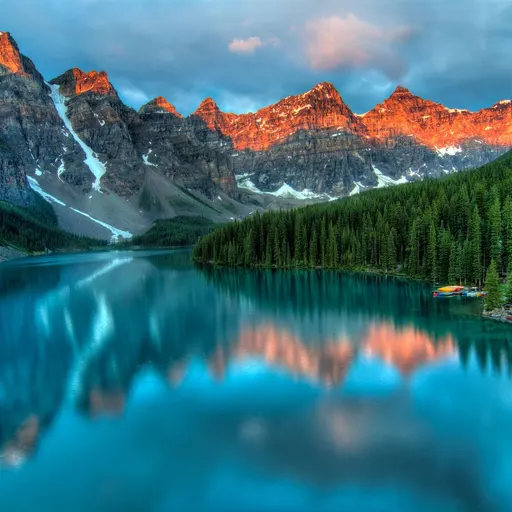
Original photo of a mountain lake at sunset
BeforeSource photo
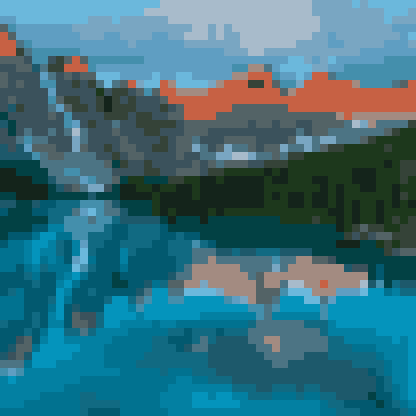
Pixel art of a mountain lake at sunset
AfterNeuQuant · 20 colors · 52×52

The editor lists four engines, matching the live algorithm registry: Median Cut and K-Means on every account; NeuQuant and Octree behind Pixel Enthusiast. There is no consumer “RGBQuant” option next to them. Octree wraps that family under the hood.

Median CutFree

Splits the color space along median boundaries. Crisp region edges, posterized blocks, high contrast. The default engine on free accounts — best when you want graphic flats instead of photographic blends.

K-MeansFree

Clusters similar colors to minimize within-group variance. Softer grouping and smoother tonal transitions. Use it when the photo has gradients you still want to read after the grid.

NeuQuantPixel Enthusiast

A competitive-learning network in the NeuQuant tradition. Trains a fixed-size palette on the image. Natural grouping on photo-like sources — not a magic “AI art” button, a classic neural quantizer.

OctreePixel Enthusiast

Hierarchical tree quantization that keeps detail more evenly across lights and darks. In Pixelizer, Octree is implemented with image-q’s RGBQuant (a modified octree histogram). RGBQuant is not a fifth item in the algorithm selector.

How to choose

Compare on the same photo and the same max-colors budget. Median Cut posterizes; K-Means clusters; NeuQuant groups perceptually; Octree balances detail. The mountain lake above is NeuQuant at 20 colors on a 52×52 grid — a photo-like source, which is where that engine earns its keep.

After the palette lands, you still recolor it and paint on the grid. Algorithm choice is the first pass, not the last. For the full convert-then-edit loop, see photo to pixel art.

Open the studioCreate a project in the gallery and run the same pipeline on your photo.
🧪 Dev Controls
🧪 Émulateur - Comptes Test
Statut actuel :❌ Non connecté
Configuration Auto-Login :
Auto-login activé :
Compte préféré :
Actions rapides :
Comptes disponibles :
👑 test@pixelizer.local
🆓 free@pixelizer.local
Mode Émulateur Firebase Local