Photo to pixel art
Pixelizer is a photo-to-pixel-art studio, not a mosaic slider. You choose how the image is sampled, which quantizer builds the palette, and how many colors survive — then you edit on the grid.
Mosaic filters shrink a photo into squares and call it pixel art. The result is a downsampled photograph. A studio starts the same way — a grid of cells — then asks what the cells should become.
Pixelizer samples the source into a grid you set (4–256 cells on each side), builds a palette with a real quantizer, and maps every cell to the nearest palette color. Optional dithering (error diffusion or ordered Bayer) is a control, not a default. After that pass you still have a project: recolor the extracted palette, paint, fill, erase, undo, and save.
The pipelineCover-crop or frame the photo, then set width and height in cells. Each cell is averaged. A quantizer — Median Cut, K-Means, NeuQuant, or Octree — reduces those colors to a hard budget. Max colors can be anywhere from 2 to 256; 16 and 32 are the classic retro-looking ranges.
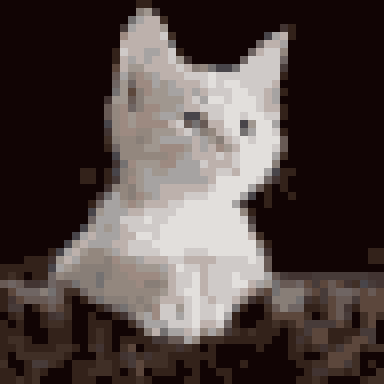
The kitten above is Median Cut at 18 colors on a 48×48 grid. Same photo, another engine, another budget: a different graphic. That is the point of a studio, not a slider.
What you keepGuests can keep one local project. A free account keeps up to ten. Pixel Enthusiast unlocks unlimited projects, cloud sync, and the two premium quantizers. Export is PNG or JPG with no watermark: up to 1080 px on the longest side on the free tier; Pixel Enthusiast adds 4096 px and 8192 px tiers.
If you only need a one-click flatten, a converter in the Pixelit / Pixel Me class is enough. If you want to iterate on the grid, start on the Learn hub or open the gallery.