Pixelizer
About
Pixelizer turns photos into readable pixel art
Pixelizer is a browser studio for artists who want controlled color reduction, styled hardware looks, and exports they can ship without watermarks.Pixel preview with soft edgesHold Space to see the original photo. Press O for original, P for pixel art. Use the Original and Pixel controls to switch views.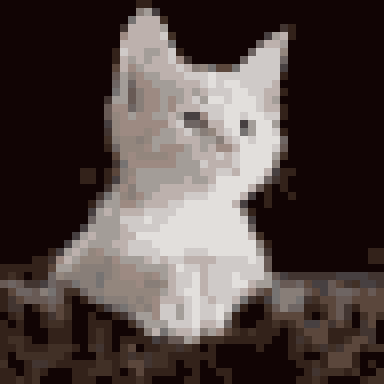

How it worksQuantization runs in your browser with controls you can see and adjust.
1. Algorithms and palettePick Median Cut, K-Means, NeuQuant, or Octree and target between 2 and 256 colors.
2. Grid and ditheringSet grid size and apply error-diffusion or ordered Bayer dithering on limited palettes.
3. Soft or Crisp edgesChoose Soft edges for blended cells or Crisp edges for harder tile reads. Optional Despeckle removes stray pixels.
4. ExportDownload PNG or JPG with no watermark. Sizes depend on your plan (up to 1080 px free, up to 8192 px on Pixel Enthusiast).
Styled looksCurated hardware and house palettes on top of your quantization settings.
AutoFree
Game BoyFree
Ink WashFree
CGAPixel Enthusiast
EGAPixel Enthusiast
Commodore 64Pixel Enthusiast
8-bit ConsolePixel Enthusiast
EmberPixel Enthusiast
PaperPixel Enthusiast
DuskPixel Enthusiast
NightPixel Enthusiast
BlushPixel Enthusiast
TidePixel Enthusiast
CanopyPixel Enthusiast
LetterpressPixel Enthusiast
MSX1Pixel Enthusiast
Plans at a glanceVerified limits from the live app today.
Pixel Explorer (free)Free• Guests: one local project in the editor• Free account: up to 10 cloud projects• Looks: Auto, Game Boy, Ink Wash• Export up to 1080 px on the longest side
Pixel EnthusiastPaid• 3.99 USD per month or 39.99 USD per year• Cloud sync and premium styled looks• Build and save your own looks in the editor• Export up to 4096 px and 8192 px
Who builds itPixelizer is built by Glint, a small independent studio. The goal is to keep quantization transparent: you choose grid size, color count, algorithm, dithering, Soft or Crisp edges, and optional Despeckle, then see the result update in real time.The service runs at pixelizer.app. Account, billing, and project sync use industry-standard providers described in our Privacy Policy.
Learn and supportGuides on the Learn hub explain photo conversion, palette limits, sprites, and how Pixelizer compares with one-shot converters. For product questions, billing, privacy rights, or image takedowns, use the Contact page or write to pixelizer.app@gmail.com.Contact page